

Start with your FSA ID
Your FSA ID is your legal electronic signature for the federal student aid system. You need this account to log in to studentaid.gov and to sign your FAFSA® form. Without it, you cannot complete the application process, even if you have all your financial documents ready.
The Department of Education requires you to create your FSA ID at least three days before you begin the FAFSA. This waiting period allows the system to verify your identity and resolve any potential authentication issues. If you wait until the last minute, you risk delaying your entire application while you wait for identity verification to clear.
You can create your FSA ID at any time by visiting the Federal Student Aid website. You will need a valid email address and a driver’s license, state ID, or passport number. If you do not have these documents, the verification process will take longer or may not be possible.
Once your account is active, keep your username and password secure. You will use this same FSA ID to sign your FAFSA, access your Student Aid Report (SAR), and make corrections to your application later in the year.
Gather tax and financial documents
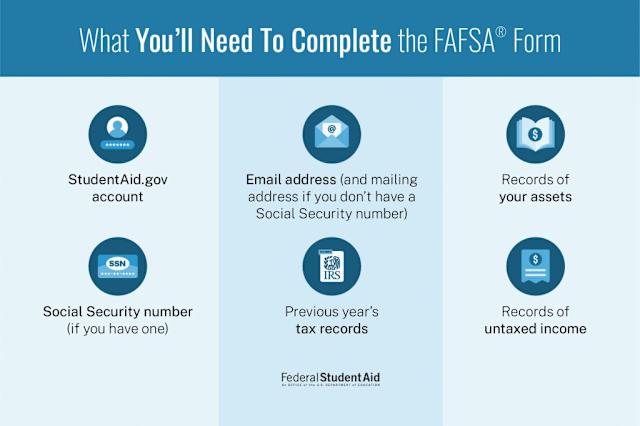
Before you log in to FAFSA.gov, collect the financial records that the form requires. The new 2026-27 FAFSA pulls data directly from the IRS using the Direct Data Exchange (DDX), which reduces the need to manually enter tax numbers. However, you still need physical or digital copies of specific documents to verify your information and answer questions about untaxed income.
Have these items ready before you start:
- Social Security numbers (or Alien Registration numbers if you are not a U.S. citizen).
- Federal tax returns for the 2024 tax year. This includes Form 1040, 1040-SR, or 1040-NR.
- W-2 forms from all employers you worked for in 2024.
- Records of untaxed income, such as child support received, untaxed portions of pensions or IRA distributions, and VA benefits.
- Bank statements and records of current investments, including stocks, bonds, and real estate (excluding your primary home).
If your parents or spouse are contributing to your application, they must also gather their own tax returns and W-2s. The FAFSA will ask for their financial information, so they should have their documents organized as well.
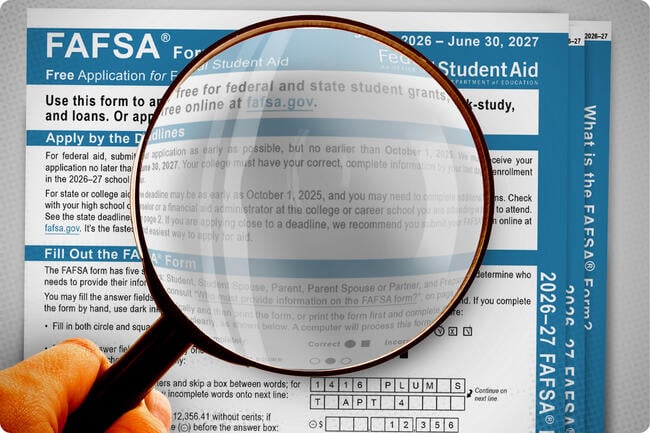
Having these documents on hand prevents interruptions during the application process. If you are missing a W-2 or tax return, request a copy from your employer or the IRS before beginning. You can use the IRS Data Retrieval Tool to transfer your tax data directly into the FAFSA, which is the fastest and most accurate method. For a detailed question-by-question guide on filling out the form, visit Federal Student Aid's official instructions.
Fill out the student information section
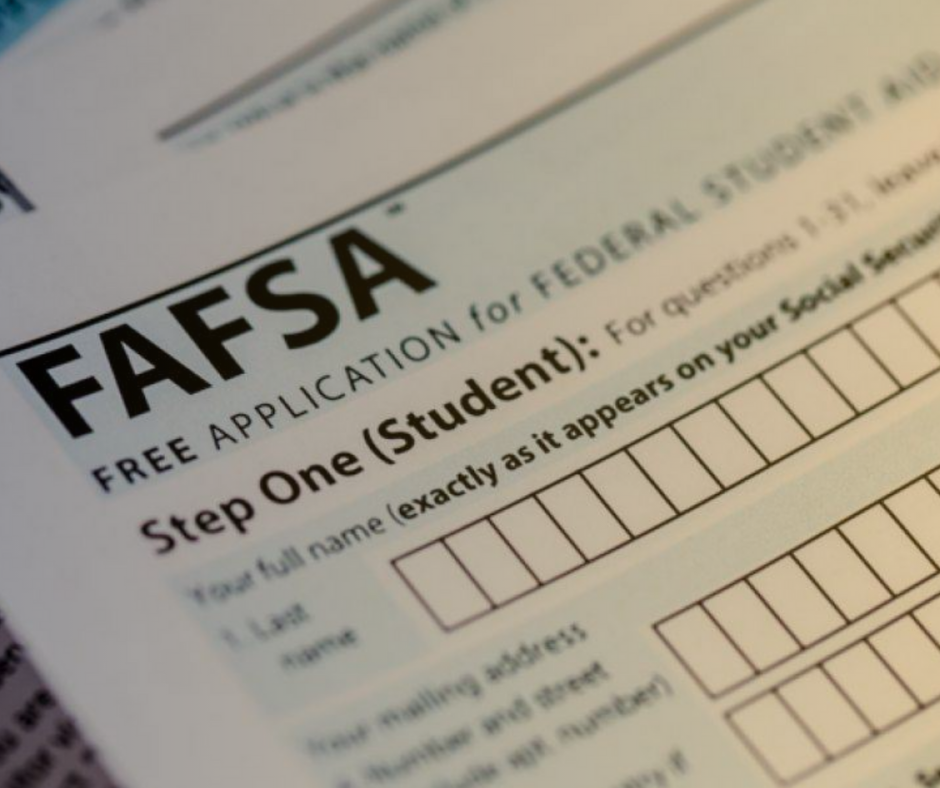
The student information section is the first part of the FAFSA form you will encounter. This section collects your personal and demographic data to verify your identity and determine your dependency status. Accuracy here is critical because any errors can delay your financial aid package or cause your application to be rejected.
Enter your basic personal details
Start by entering your legal name exactly as it appears on your Social Security card. If your name has changed recently, update your Social Security record first to avoid discrepancies. Next, provide your date of birth and Social Security number. These fields are mandatory for federal aid eligibility. If you do not have a Social Security number, you may need to provide an Alien Registration Number if you are not a U.S. citizen.
Confirm your demographic and citizenship status
You will be asked to confirm your gender, marital status, and citizenship status. Select "U.S. Citizen" if you are a citizen or eligible noncitizen. If you are an eligible noncitizen, you must have a valid Alien Registration Number. Your marital status should reflect your status on the day you submit the form, not your status on the first day of the school year.
Verify your contact and school information
Enter your current mailing address and email address. This is where the National Student Loan Data System (NSLDS) will send important updates about your aid. If you plan to attend a specific college, you can add their school code here. However, you can always add more schools later in the process. Double-check every entry before moving on to the next section.
Type your full legal name and Social Security number exactly as they appear on your official documents. Do not use nicknames or abbreviations. This information is used to verify your identity against federal records.

Select your citizenship status from the dropdown menu. If you are not a U.S. citizen, enter your Alien Registration Number. Confirm your gender and date of birth. Ensure this data matches your Social Security Administration records to prevent processing delays.
Review all entered information for accuracy. Click "Save" frequently to prevent data loss. If you need to take a break, you can return to the form later using your FSA ID. Incorrect data here can lead to a rejected application, so take your time.
Enter financial data and school codes
This section is the engine of your application. You will input specific financial figures and identify which colleges should receive your data. Accuracy here determines your eligibility for grants, work-study, and loans.
Input financial information
The FAFSA asks for data from two years prior to the application year. For the 2026–27 form, you will report 2024 tax information. The form pulls this data directly from the IRS via the Data Retrieval Tool (DRT). Using the DRT is the most reliable method because it eliminates manual entry errors and speeds up verification.
If you cannot use the DRT, you must enter the numbers from your tax return manually. Enter whole dollars only. Do not use commas or decimal points. If a field does not apply to you, enter zero or "not applicable" rather than leaving it blank. Blank fields can trigger processing delays or rejection.
Select up to 20 schools
After the financial section, you will see the school selection page. You can list up to 20 colleges or universities. Each school receives your financial data automatically. You do not need to repeat the application for each institution.
Use the FSA Code Search tool to find the correct federal school codes. These codes are unique identifiers for every participating institution. If you are unsure of a school’s code, search by name on studentaid.gov.
You can add, remove, or reorder schools at any time before submitting. The order does not affect your aid amount, but it helps you keep track of your choices. If you apply to more than 20 schools, you can add additional codes after you submit the initial application.
Review and sign the application
Before hitting submit, treat the final review like a pilot’s pre-flight checklist. One small typo in a Social Security number or tax year can delay your aid by weeks. The FAFSA system is designed to catch obvious errors, but it won’t catch everything. Take a slow pass through every section to ensure your data matches your most recent tax returns and W-2 forms.
Pay close attention to numeric fields. Never leave a box blank if the answer is zero; enter a 0 instead. Avoid using commas or decimal points in dollar amounts—round to the nearest whole dollar. These formatting details often trigger automatic rejections or requests for correction, adding unnecessary steps to your timeline.
Once you are confident the information is accurate, you will reach the signature page. This is not just a formality; your electronic signature is a legal declaration that the data you provided is true and correct. You can sign with your FSA ID, which acts as your digital passport for federal student aid. If you are a dependent student, one of your parents must also log in and sign their portion.
Scroll through each section of the application. Check that names match your government-issued ID exactly and that tax information aligns with your IRS transcripts. If you made changes during the process, verify they appear correctly in the summary.
If the system flags an issue, read the specific instruction provided. Common fixes include correcting a malformed email address or updating a dependency status. Do not ignore these warnings; they will prevent submission until resolved.
Enter your FSA ID and password to apply your electronic signature. This step authenticates your identity and legally binds you to the accuracy of the application. If you do not have an FSA ID, you must create one before you can sign.
Dependent students must have a contributor sign. Log out of your account and have your parent or spouse log in with their own FSA ID to sign their section. The application will not submit until all required signatures are complete.
Click the final submit button. You will receive a confirmation page with a date stamp and a unique submission ID. Print this page or save it as a PDF. You will also receive an email confirmation, which serves as proof that you met the deadline.
Avoid these common FAFSA errors
Small mistakes on the FAFSA can delay your financial aid or cause your application to be rejected entirely. The 2026-27 form is more forgiving than older versions, but it still requires precision. Treat every field like a tax return: if a number doesn’t apply, enter zero.
Leave no fields blank
The system often rejects applications with missing data. If a question doesn’t apply to your situation, enter 0 or N/A rather than leaving it empty. Blank fields trigger automatic validation errors that stop your submission or delay your Student Aid Index (SAI) calculation.
Format numbers correctly
The FAFSA form strips out formatting characters. Do not use commas in large numbers (e.g., use 50000 instead of 50,000). Round all dollar amounts to the nearest whole number; decimals are not accepted in income fields. Using commas or decimals will cause the form to reject your entry or miscalculate your aid eligibility.
Double-check names and SSNs
Your name and Social Security Number (SSN) must match exactly what the Social Security Administration has on file. Even a small typo—like a missing middle initial or a transposed number in your SSN—can prevent the system from verifying your identity or pulling your IRS data. If you have a name change, update your SSA record before starting the FAFSA.
Go through each section one last time. Look specifically for commas in dollar amounts or blank fields that should have a zero. The form will not let you submit if these errors persist.
Ensure your name, date of birth, and SSN match your Social Security card. If you recently changed your name, update it with the SSA first. Mismatches here cause the biggest delays.
After hitting submit, you will receive an email confirmation. Log in to studentaid.gov within 3-5 days to check your status and ensure no further action is required.
Frequently asked questions about FAFSA
Do parents who make $150,000 still qualify for FAFSA?
Technically, no income is too high for the FAFSA. The U.S. Department of Education recommends filling out the FAFSA yearly, regardless of income. However, because FAFSA is needs-based aid, those from lower-income families with a greater financial need get access to more financial aid.
Can I get financial aid if I make $40,000 a year?
No, there are no income limits for FAFSA eligibility. No matter how much you or contributors make, you can still complete the FAFSA form. However, the amount of aid you're eligible for is partially dependent on financial need. If you have less financial need, you may not qualify for certain types of aid.
What is the easiest way to do the FAFSA?
Complete, submit, and update your application online at studentaid.gov. It's the easiest way to fill out the FAFSA and apply for federal aid.
What are common FAFSA mistakes to avoid?
Some of the most common FAFSA errors are: Leaving blank fields: Too many blanks may cause miscalculations and an application rejection. Enter a '0' or 'not applicable' instead of leaving a blank. Using commas or decimal points in numeric fields: Always round to the nearest dollar.
No comments yet. Be the first to share your thoughts!